Custom KPI definitions
Document the definition and owner of each KPI so teams know what is being measured.


Give each performance measure a purpose.
Hadaf KPI connects a target with its owner, baseline and review period. A signal is useful when the team knows which change deserves attention and what to do next. Define the calculation and response alongside the display so monitoring supports a decision rather than another unowned alert.
A KPI needs a definition, a target and a person responsible for reviewing it.

Explore how the product could bring its tools and working records into one view. Review the workflow design during your product walkthrough.
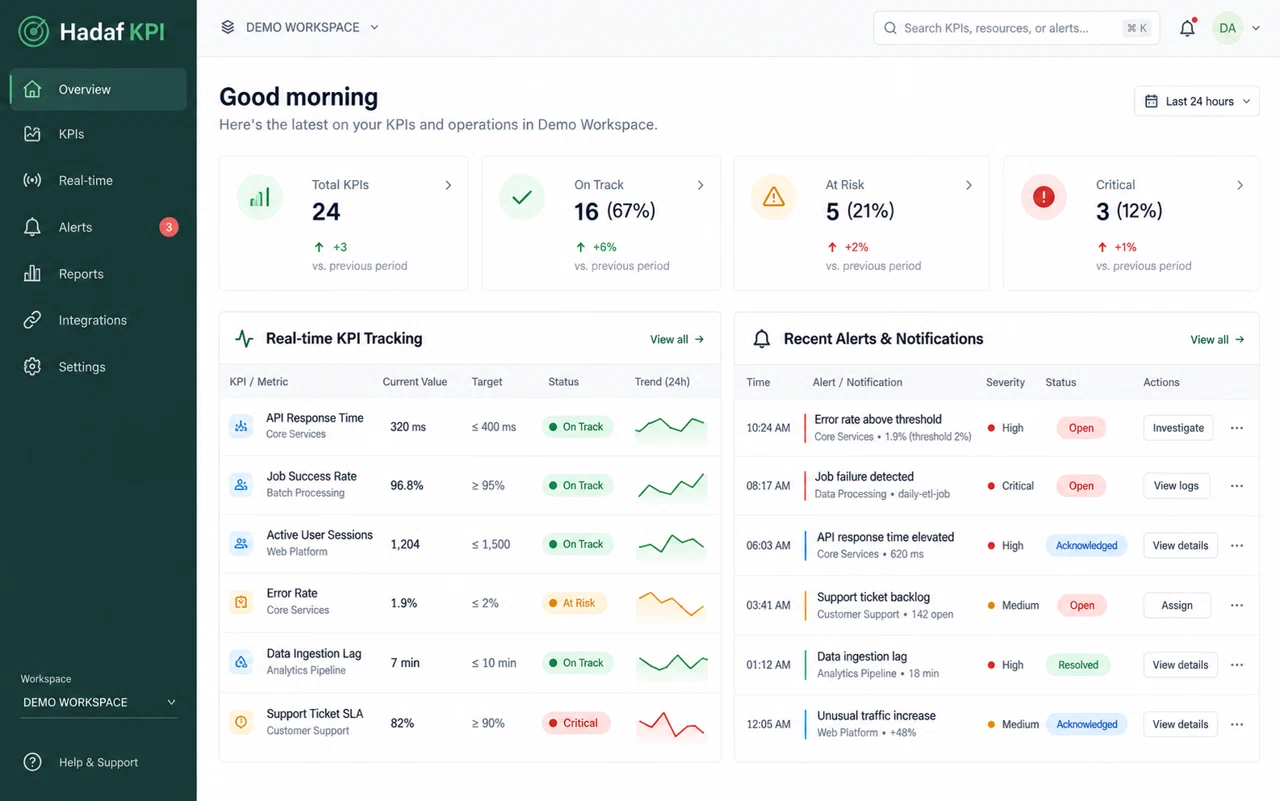
Connect each capability to a day-to-day task and a practical result your team can evaluate.
Document the definition and owner of each KPI so teams know what is being measured.
Track progress against agreed targets without manually compiling every status update.
Notify responsible staff when a threshold is crossed so exceptions have a clear next action.
Bring one example from your daily work. We can review the records involved, who owns each step and which integrations are needed before defining the implementation scope.
Discuss your workflowMonitoring brings these together with the update cycle and a route to the underlying evidence. That keeps performance discussions connected to a consistent measure.
Take a metric with a clear owner, baseline and review period. Decide which change deserves attention and which variation is normal. Alerts should lead to an agreed next action, rather than produce another stream of notifications nobody owns.
An illustrative scenario to discuss when planning your project.The people involved include performance managers, team leaders and metric owners. Begin with a small, representative set of metric formulas, targets, owners and alert thresholds, then identify the decision or action each role needs to complete. This helps shape a useful first release and avoids collecting information that nobody uses.
Two teams can use the same label for different measures. Confirm the calculation, source, reporting period and refresh timing before building the view. Make it possible to explain a result and identify missing or delayed inputs, so a dashboard supports a decision instead of hiding the assumptions behind it.
Identify the current sources of metric formulas, targets, owners and alert thresholds. Check data quality, shared references and required fields before agreeing what will be migrated, connected or recreated.
Review the needs of performance managers, team leaders and metric owners. Document permissions, required integrations, the authoritative system for each record and what happens when information cannot be exchanged.
Use safe sample data to explain a threshold breach and assign a follow-up to the responsible owner. Agree expected results, review exceptions and record acceptance decisions before widening access.
Name the configuration owner, change decision-maker and support contact. Plan training and documentation around ordinary tasks, then review early use under the agreed support arrangement.
Prepare examples of metric formulas, targets, owners and alert thresholds, with confidential details removed. Explain the step that takes the most effort or causes confusion, and identify who needs to review the result.
We define a scenario that lets your team explain a threshold breach and assign a follow-up to the responsible owner. Compare the result with the current process and document requirements and gaps before approving the implementation scope.
The required systems and data sources are reviewed first. The integration plan covers access, field mapping, transfer timing and responsibility for errors. The proposal identifies included connections and any custom work needed.
The proposal considers features, users or workload, the operating environment, integrations and migration. Training, operational ownership and the support arrangement are agreed alongside the implementation scope.