Optimus EA software
Organize EA setup and operating instructions around the connected trading account so support can identify the right environment.


Keep the account and its technical setup in view.
Mudarib FX is the Arabic brand identity for the Forex Equities product. It brings the EA, connected MetaTrader account records, account analysis and agreed Windows VPS services into the same product conversation. Review the supported terminal, account ownership, data connection and operating responsibilities before relying on a dashboard view.
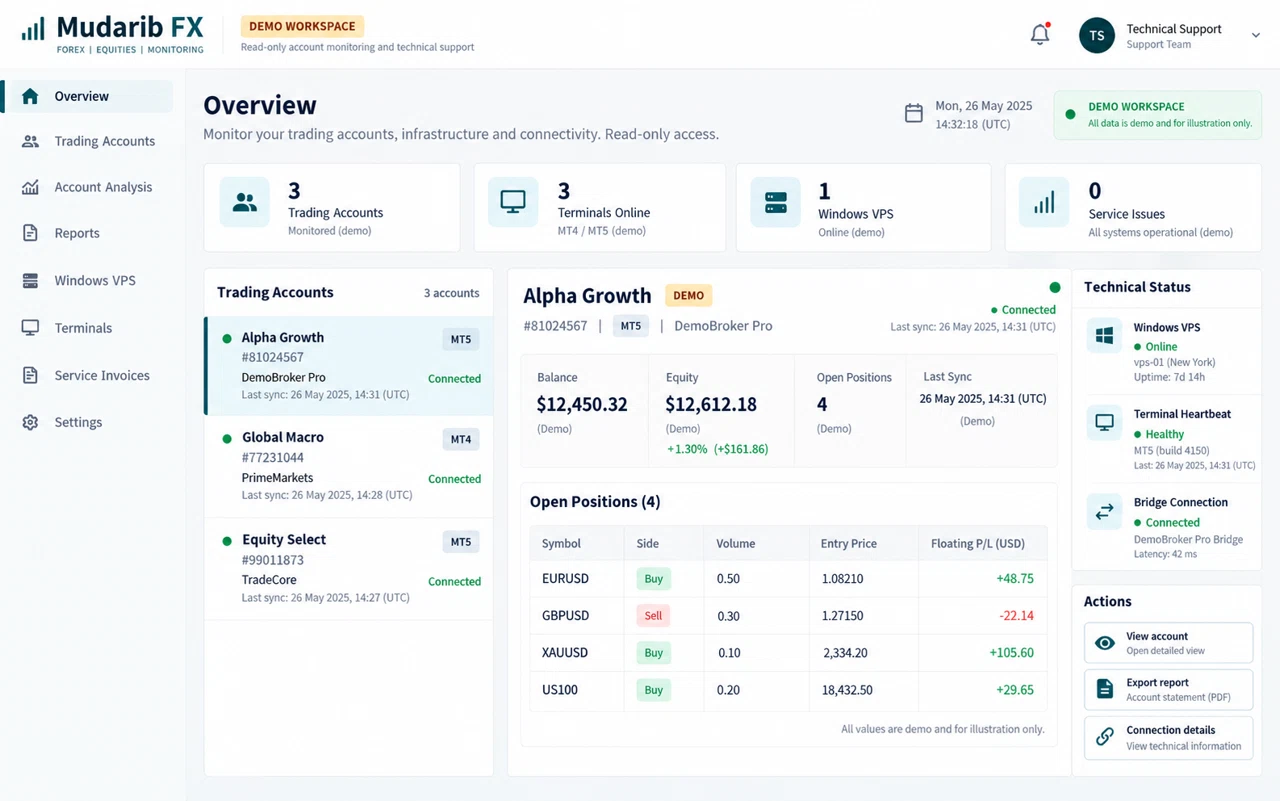
Your EA, MetaTrader terminals, account records and server support belong to the same workflow. Forex Equities brings these parts together, so you can follow each connected account and understand its trading activity.
| Symbol | Position | Floating P/L |
|---|---|---|
| EURUSD | Buy 0.01 | −$14.00 |
| XAUUSD | Sell 0.01 | −$26.00 |
Explore how the product could bring its tools and working records into one view. Review the workflow design during your product walkthrough.
Connect each capability to a day-to-day task and a practical result your team can evaluate.
Organize EA setup and operating instructions around the connected trading account so support can identify the right environment.
Review account snapshots and connection status together to distinguish trading activity from a data-connection issue.
Filter account history and analysis by account and period to prepare a report with clear ownership and context.
Bring one example from your daily work. We can review the records involved, who owns each step and which integrations are needed before defining the implementation scope.
Discuss your workflowForex Equities is a product of Rhealo Technologies (Private) Limited. Forex Equities Optimus provides the EA software; account connectivity, reports and an agreed Windows VPS environment support the wider setup. Together, these tools make it easier to see the account, the activity and the technical services behind it.
Configure the agreed EA version for a supported terminal, with its strategy rules, lot settings and trade-management parameters reviewed during setup.
Follow balance, equity, open positions, floating P/L and trading history from the account data received by the dashboard. Account number, client, broker and platform keep each view identifiable.
Review account and symbol activity, then use the available PDF or CSV reports for your records. Reports identify the relevant trading account and platform rather than presenting detached figures.
Run supported terminals in an agreed Windows VPS environment, with technical setup, server maintenance and terminal connection checks included in the selected service scope.
Keep Windows VPS and server-maintenance invoices alongside the agreed software-service records. The relevant account and service details make charges easier to follow.
Account owners review their linked accounts. Team members and approved partners work within assigned permissions, with access limited to the accounts and functions they are authorised to use.
The EA runs in the MetaTrader terminal. An authorised bridge shares account information with the dashboard; the dashboard organises that information for review. Data freshness depends on the terminal, bridge and network connection.
Your broker account and supported terminal.
Your agreed software and server configuration.
The permitted account data connection.
Account activity, reports and service records.
You retain your broker relationship, account ownership and capital. Rhealo Technologies supplies the software environment, technical setup and agreed support. Software licensing, fees, account permissions and support responsibilities are defined for the engagement.
Confirm the platform, broker, symbols, account permissions and intended software use.
Review the EA version, risk parameters, Windows VPS needs and the service terms.
Confirm that the authorised terminal data reaches the correct account view.
Review account details, trading records, reporting access and the support route.
Use the demonstration to confirm the supported release and your service scope.
Forex Equities provides trading software and account infrastructure. It does not offer account-management services or take custody of client capital. Your broker account remains under your ownership.
The product covers MT4/MT5 account connectivity. The supported EA version, terminal setup and broker compatibility are confirmed for your configuration before activation.
Trade copying is discussed as a separate integration scope. Confirm the account pairing, symbols, lot mapping and supported trade actions in a demonstration. Execution times and fill prices can differ between brokers and accounts.
The agreement separates the selected software service from Windows VPS and server maintenance. Fees, billing periods, supported versions and ongoing support are confirmed before the service begins.
A configured drawdown or stop level is a software parameter, not a guaranteed loss limit. Market conditions, broker execution, terminal connectivity and server availability can affect how a control operates.
Forex and leveraged trading can result in losses. Automated software does not remove market risk, and no profit, return or recovery is guaranteed. Review the agreed configuration and service terms before use.
Tell us which platform you use and what you want to review. We will discuss the supported software, account connection, reports and Windows VPS scope with you.